Can't find what you need below? Email support@dropbyapp.com and a real person will write back, usually within two business days. Include your iPhone model and what you were trying to do.
Getting started
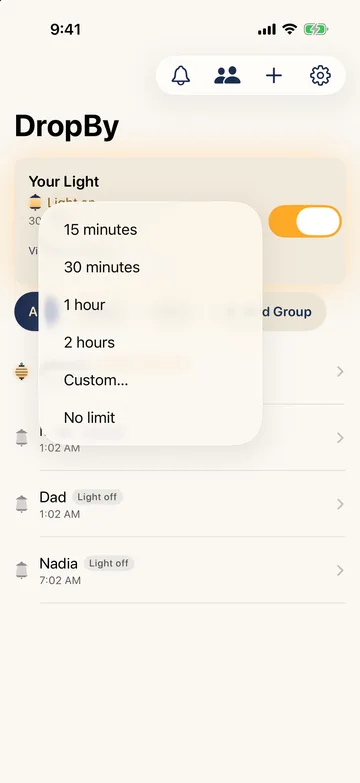
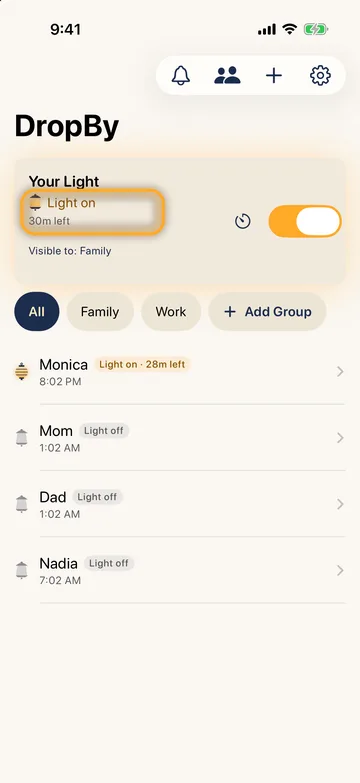
Turn your light on. Flip the switch on Home. Your people see your lantern lit and know it's a good time to connect. Tap the timer next to the switch to turn it on for a set time, such as 15 minutes or an hour.
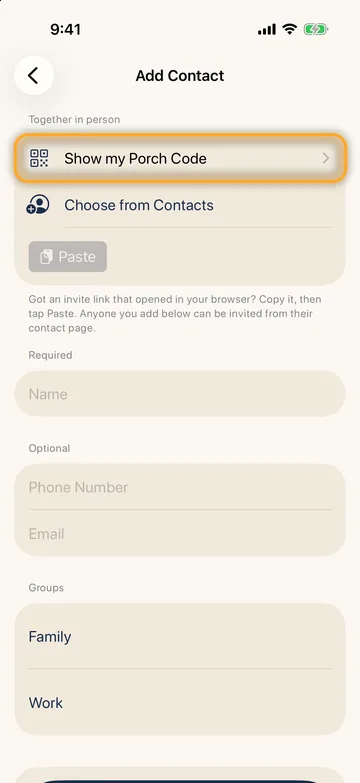
Invite your people. Tap + on Home. Show your Porch Code to someone nearby, or send an invite from a contact's page. When they accept, they appear at your door: tap the bell on Home and choose Add to my porch.
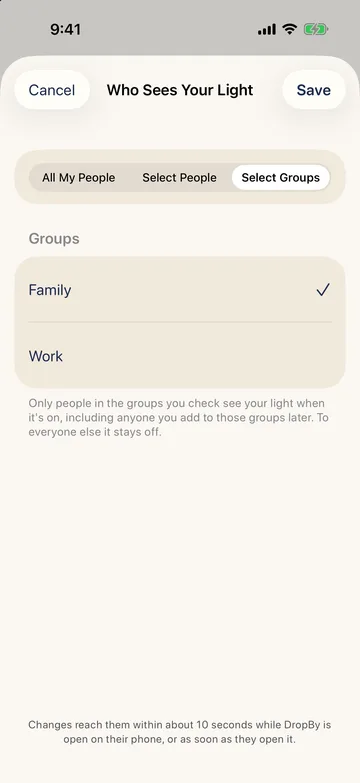
Choose who sees your light. Tap Visible to under the switch: everyone you've connected with, specific people, or groups.
Dropping by
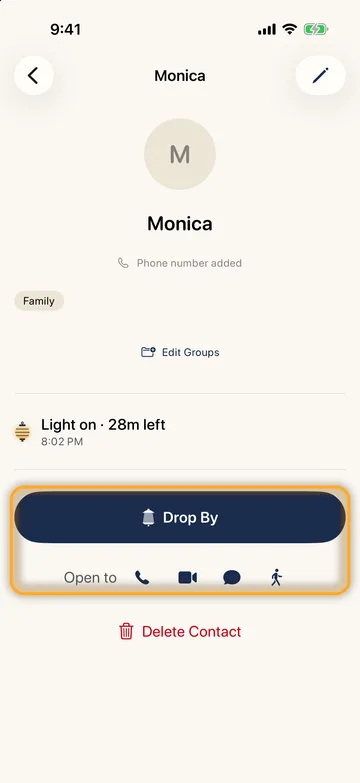
Ask to drop by. Open someone's page and tap Drop By, or tap one of the Open to icons to ask for a call, a FaceTime, a text, or a visit in person. Your own light doesn't need to be on. To ask several people at once, tap the two-people button on Home.
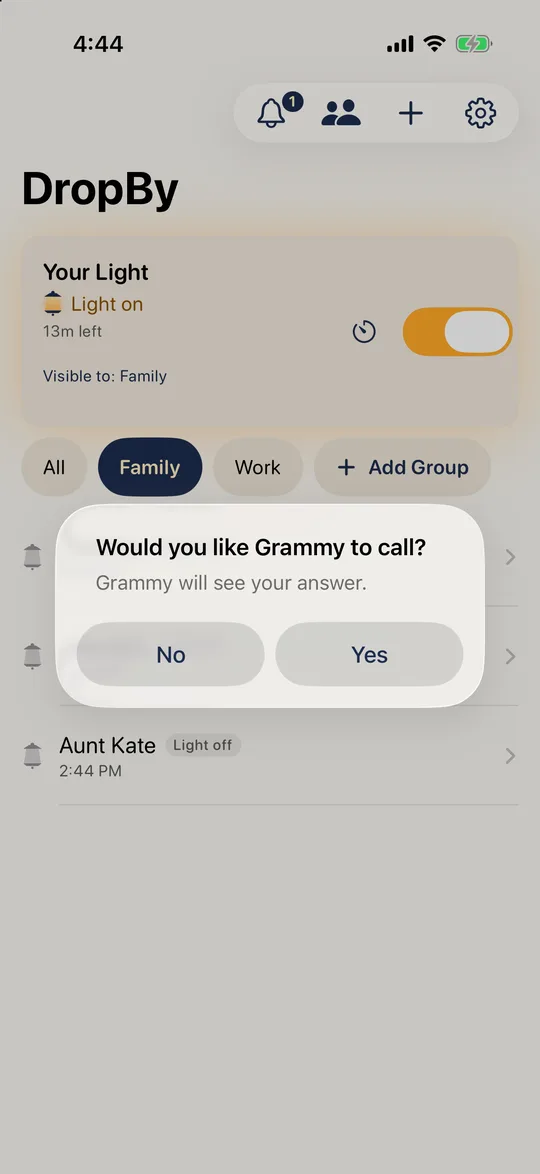
They answer yes or no. They see "Would you like [your name] to drop by?" with Yes and No, and their answer pops up on your phone, even if you're still on their page. After a yes, DropBy can start the call, FaceTime or text for you.
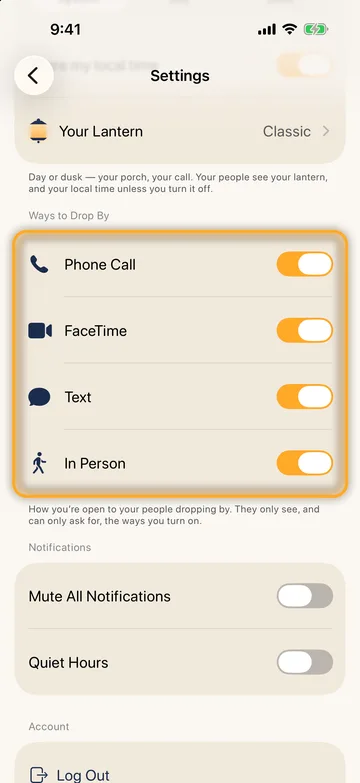
Choose how people can reach you. Settings → Ways to Drop By. Your people only see, and can only ask for, the ways you turn on.
Common questions
How quickly do my people see my light? Within about 10 seconds while DropBy is open on their phone, or as soon as they open it. The home-screen widget shows when it last updated.
Does my light stay on if I leave the app? Yes. It stays on until you turn it off, its timer runs out, or you sign out.
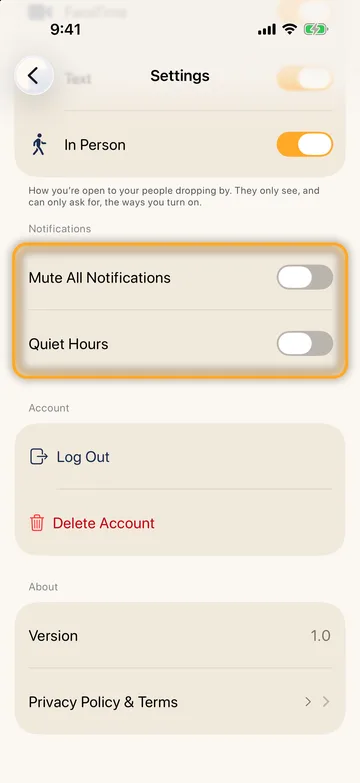
I'm not getting drop-by notifications. Open DropBy once after installing and allow notifications when asked. If you said no, turn them on in the iPhone's Settings → Notifications → DropBy. In DropBy's own Settings, check that Mute All Notifications and Quiet Hours are off. Your iPhone also needs to be signed in to iCloud. If several people share one Apple Account, a notification may show on each of their phones.
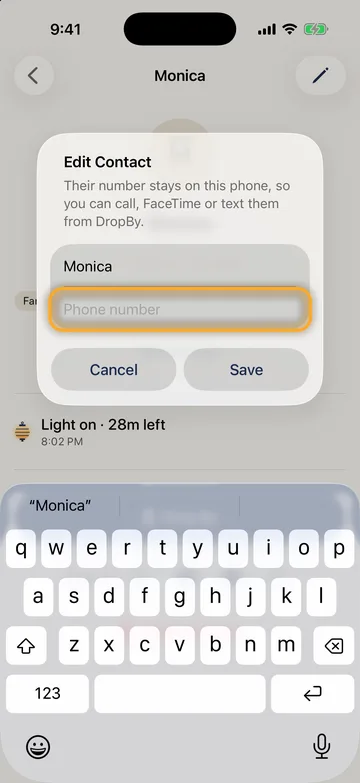
Why can't I call or text someone from DropBy? DropBy needs their number. On their page, tap the pencil and add it. The number stays on your phone and is never uploaded.
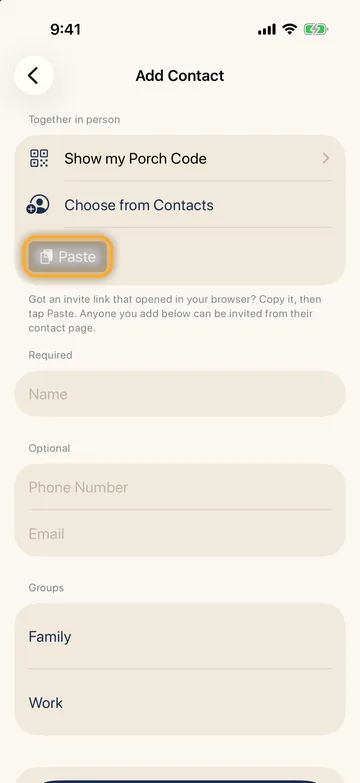
An invite link opened in my browser instead of the app. Copy the link, open DropBy, tap +, then tap Paste under "Together in person". Or long-press the link and choose Open in "DropBy"; your iPhone remembers that choice.
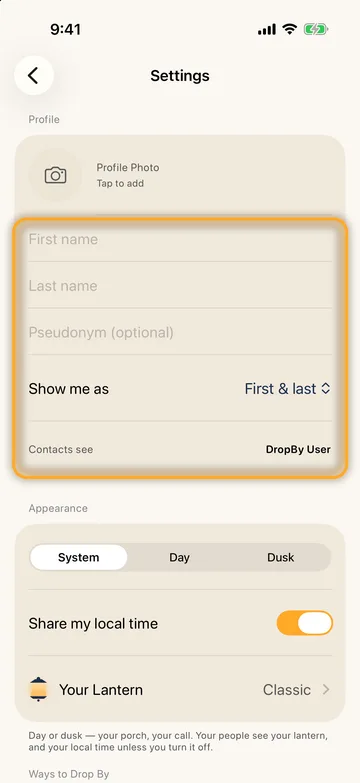
Someone shows up twice, or as "DropBy User". They haven't set a name, or you'd already added them by hand. When letting someone in, type the name you know them by, or choose That's… to link them to the contact you already have. You can rename anyone from their contact page.
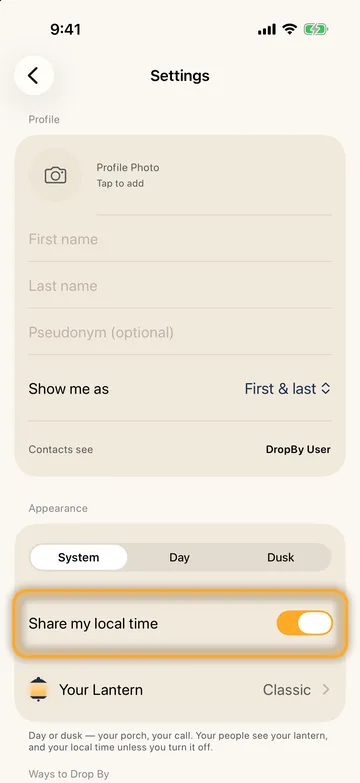
Can I hide my local time? Yes: Settings → Share my local time.
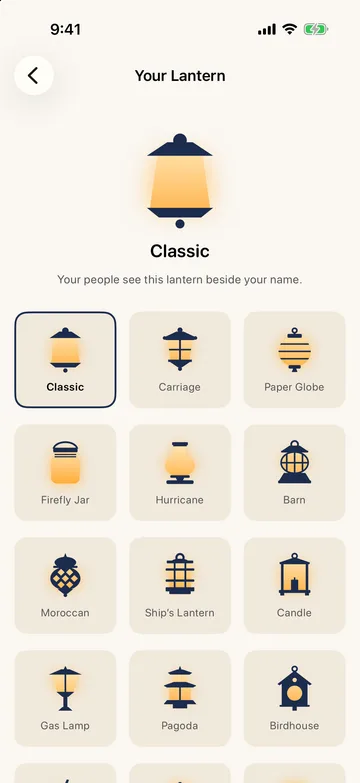
How do I change my lantern? Settings → Your Lantern. Your people see it beside your name.
Who can see my light? Only the people you've connected with and chosen. Your light is encrypted so no one else can read it, not even DropBy. Details are in the Privacy Policy.
Your account
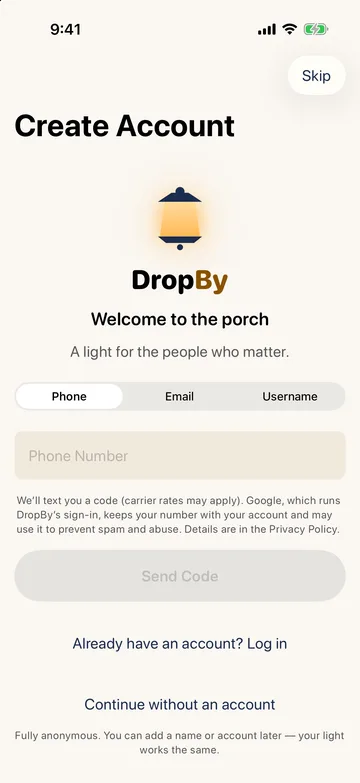
Signing in. DropBy offers sign-in with a phone number, an email address, a username, or anonymously. An anonymous account lives only on your device: if you delete the app or sign out, it can't be recovered.
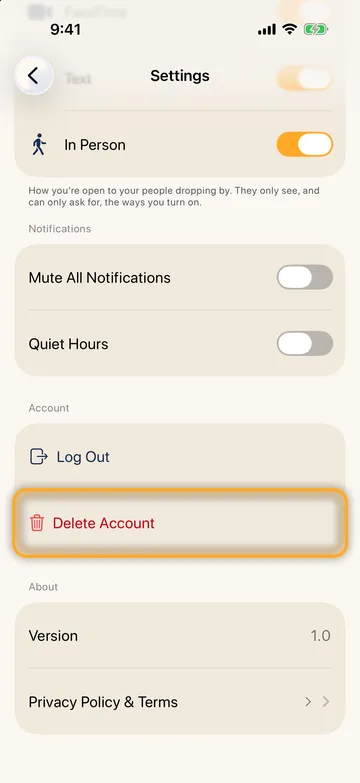
Deleting your account. Settings → Delete Account. DropBy confirms it's you, then erases your light, your connections, and your account. This can't be undone.
Contact
Support: support@dropbyapp.com
Privacy questions: privacy@dropbyapp.com
Ora et Labora Technologies LLC · Missouri, USA